Local-first client book for Apple & HarmonyOS

Your clients are your lifelong asset

No vendor account sign-up. No third-party cloud lock-in. Keep every company dossier, job change, quote commitment, and follow-up plan directly under your control.

Includes a 14-day full-feature trial for B2B sales professionals and independent advisors.

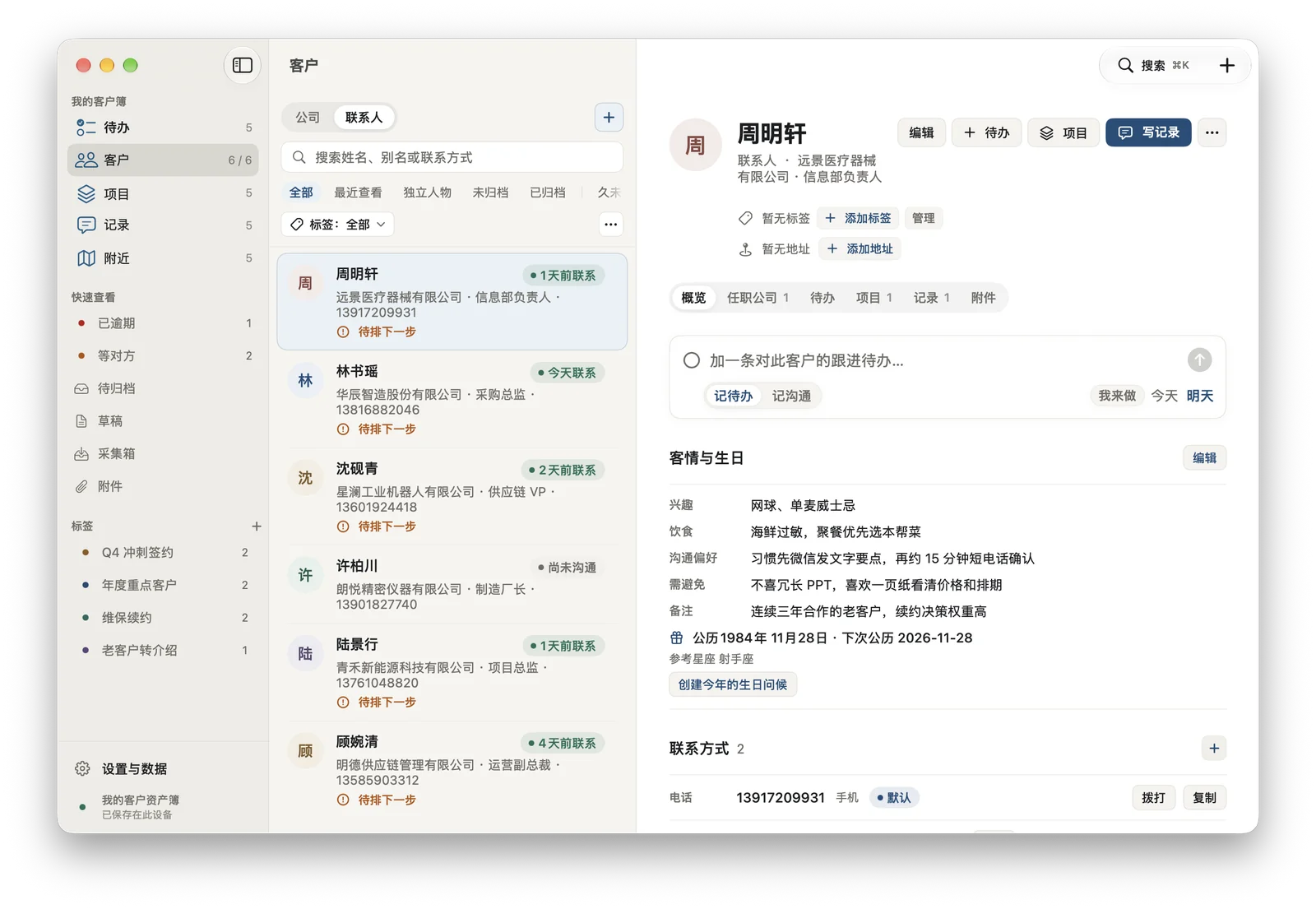
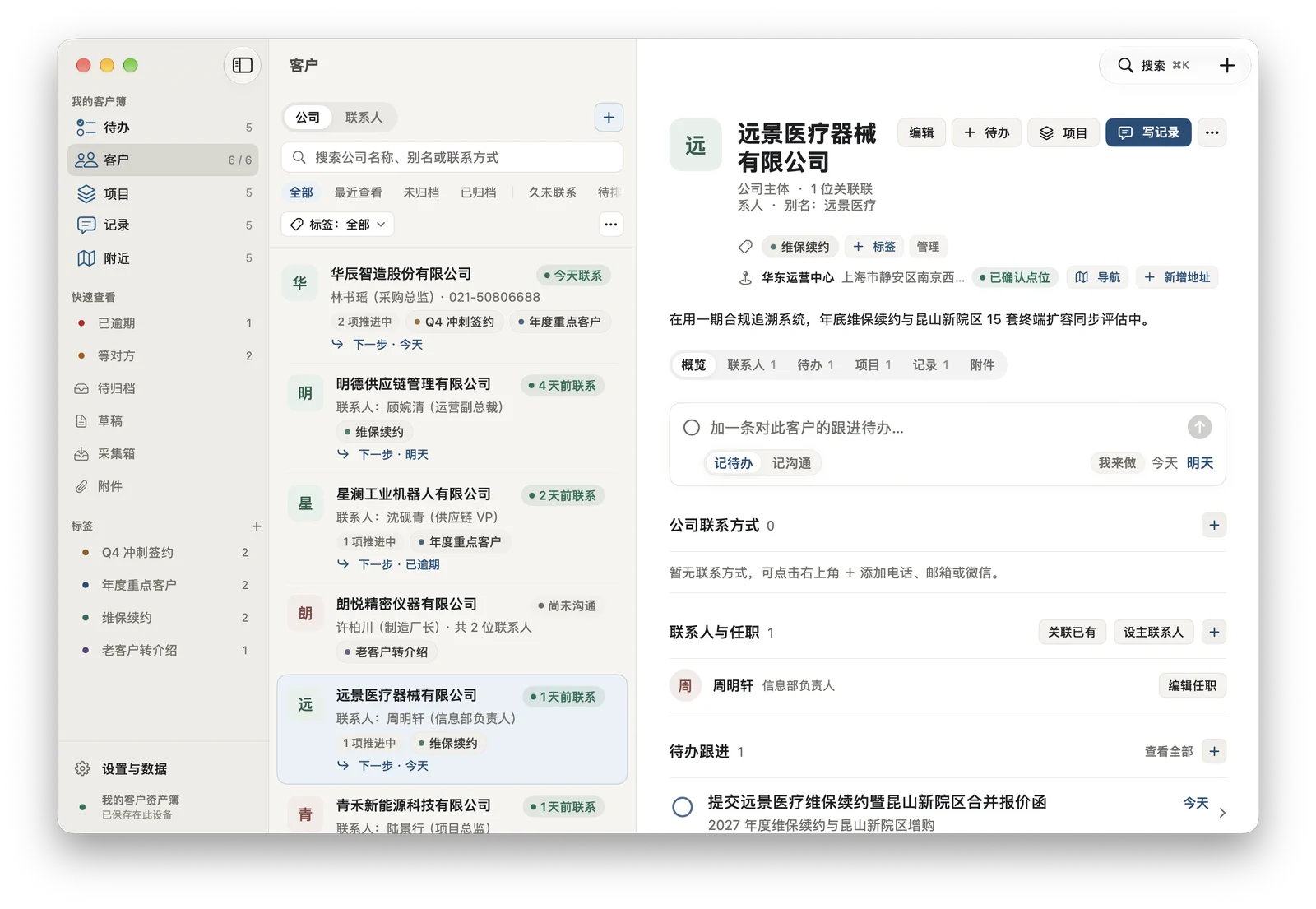
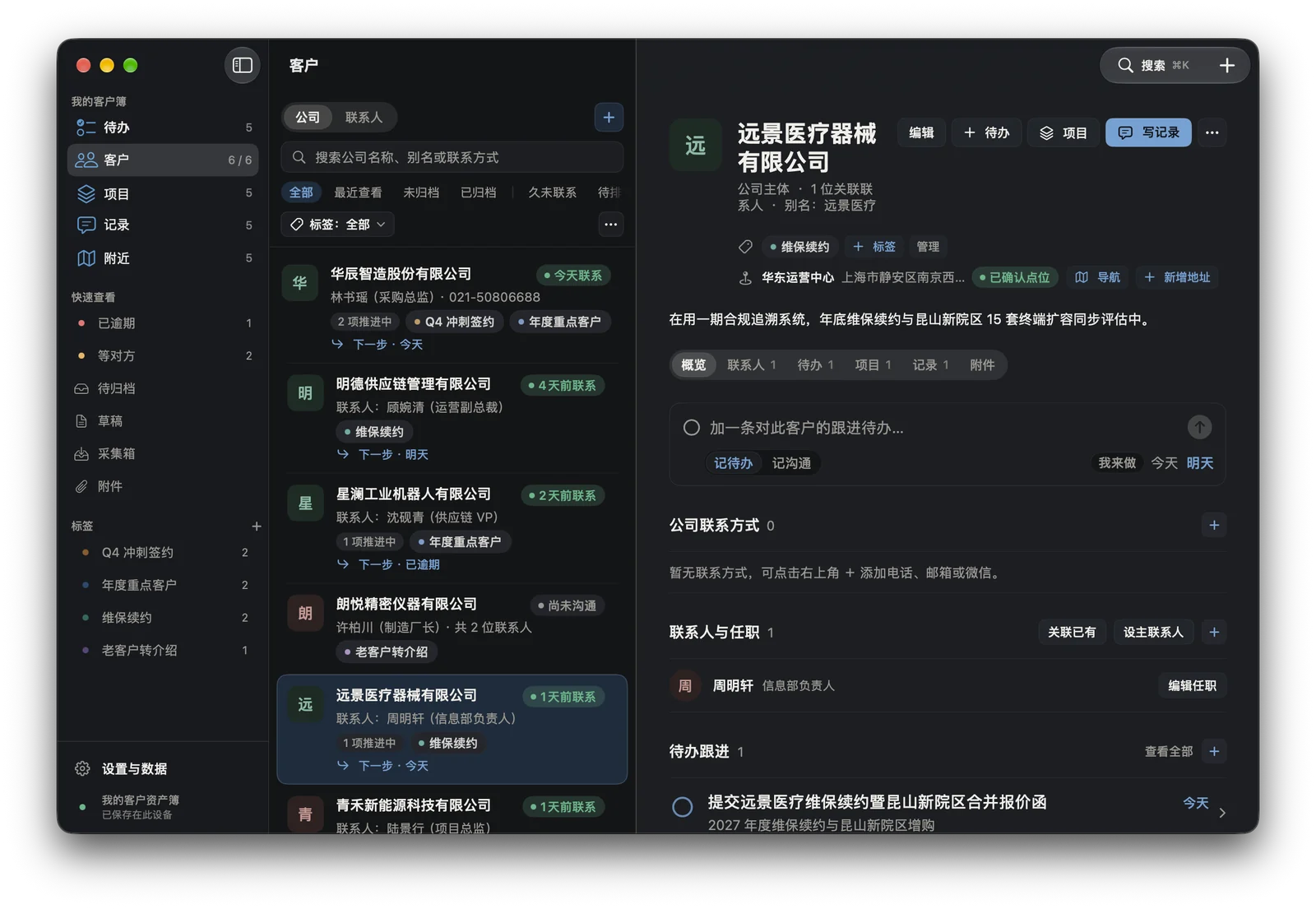
Customer Dossier: keep organizations, contact roles, open actions, and past notes in one native split view.

GoodCRM macOS customer dossier three-column workspaceGoodCRM macOS customer dossier three-column workspace

Designed around how real deals move, not CRM busywork

Every workflow removes friction between conversations and structured follow-ups without turning your day into form entry.

Follow-Up Cadence

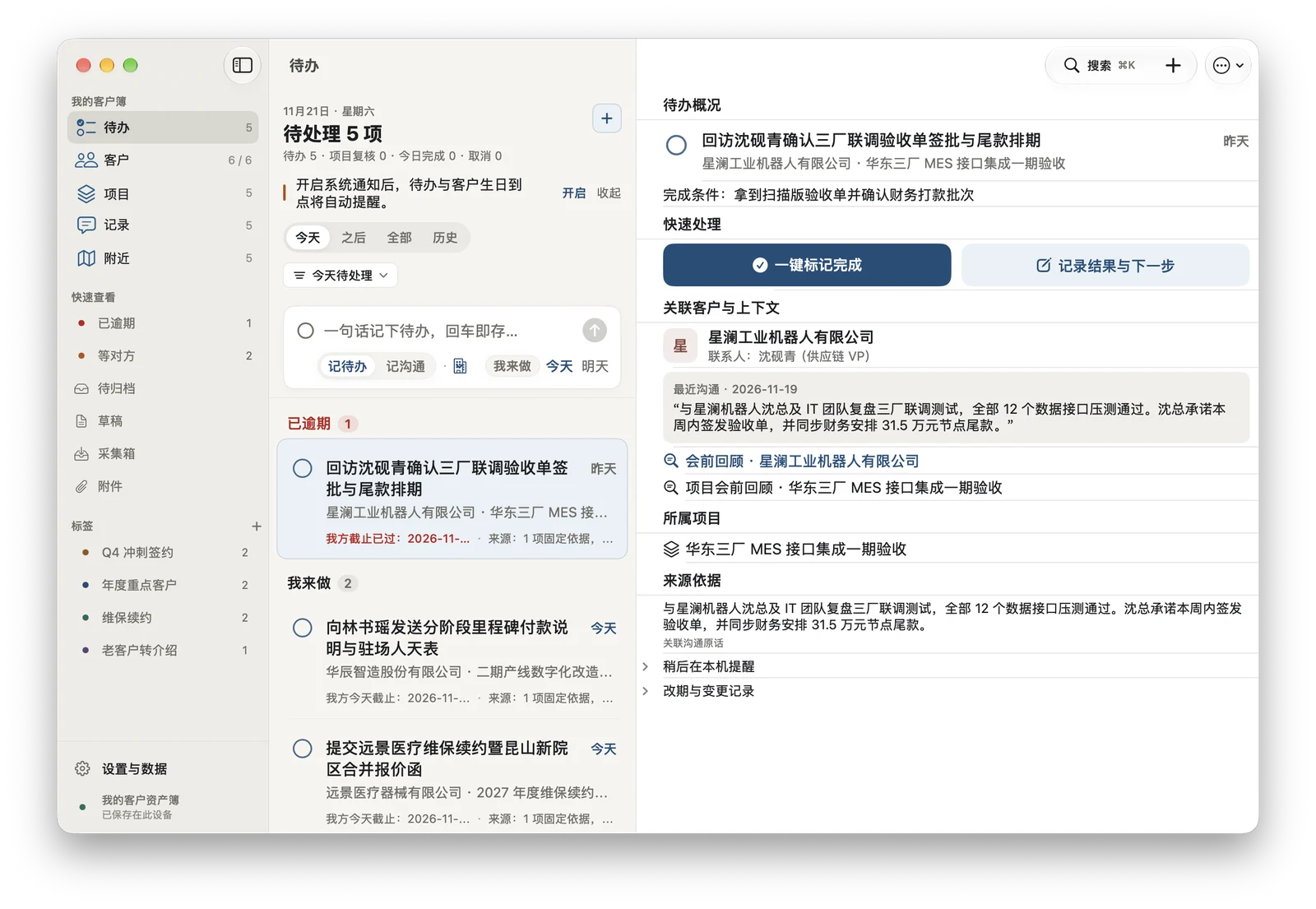
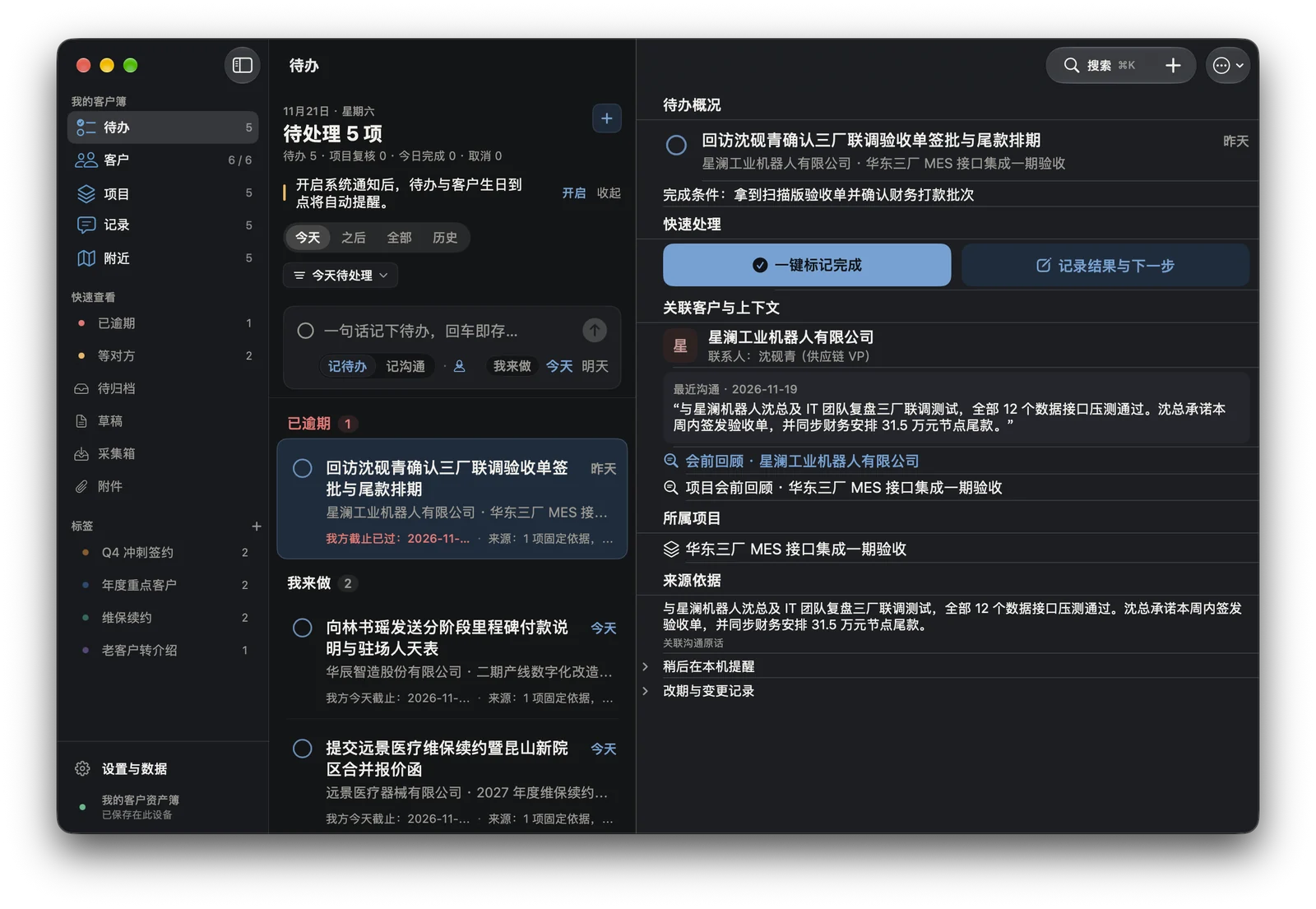
Separate My Move from Waiting On so deals never go cold silently

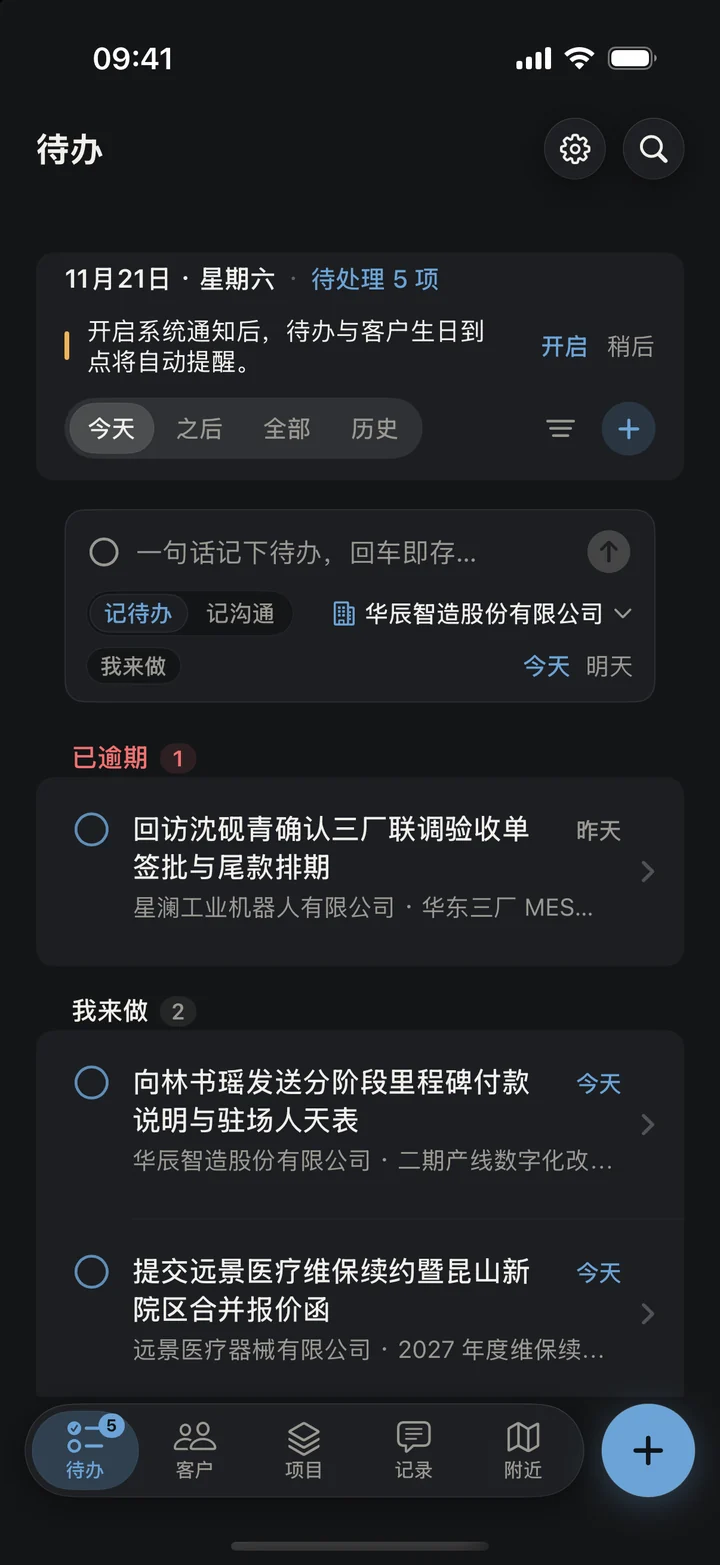
Generic to-do apps blur what you owe the client with what the client owes you. GoodCRM splits follow-ups into two explicit lanes with clear completion criteria and links every outcome straight to the next step.

  • Capture an action or interaction in one line and press Return to save locally
  • Reuse an existing interaction record as proof of completion without duplicating notes
  • Keep waiting items active with an inspection note and rescheduled target date when replies stall
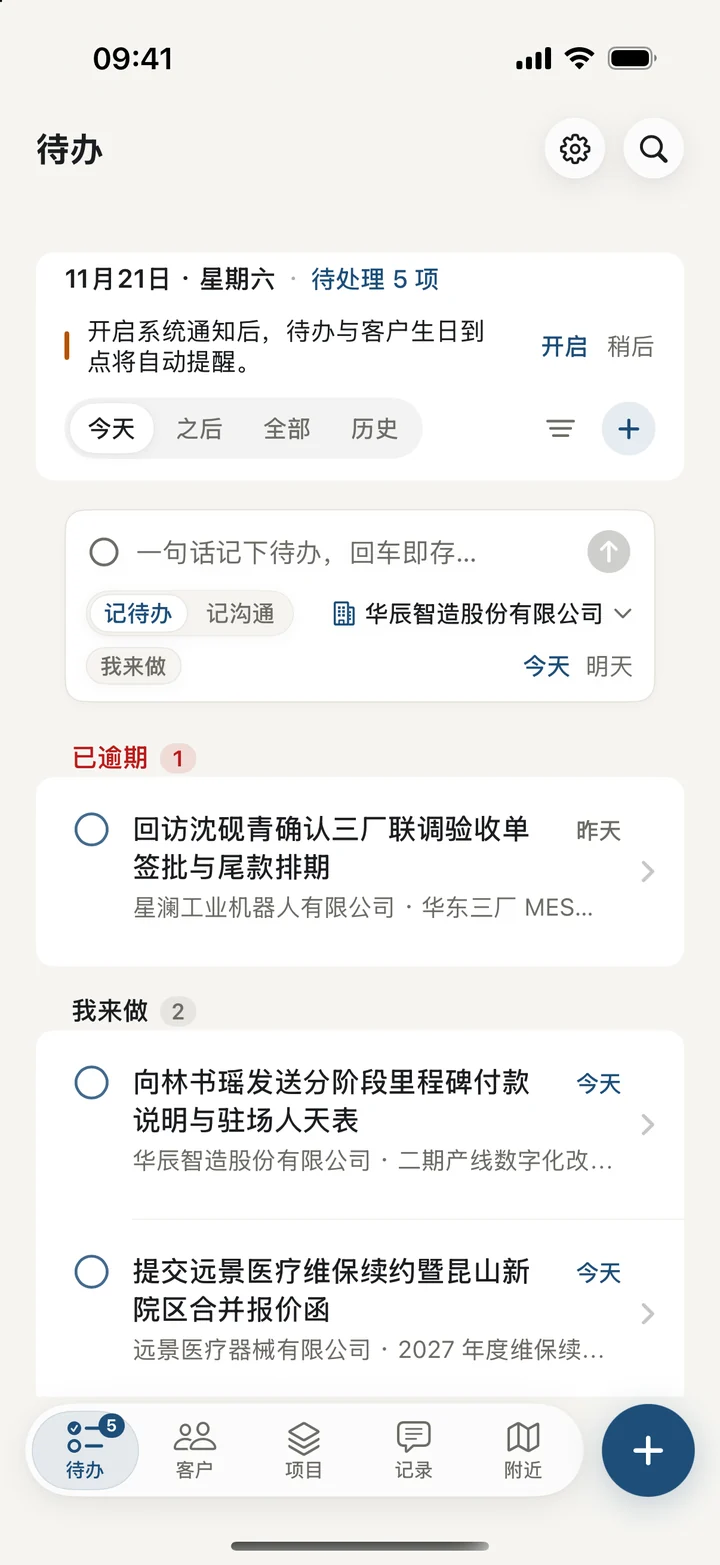
GoodCRM iPhone Today follow-up viewGoodCRM iPhone Today follow-up view
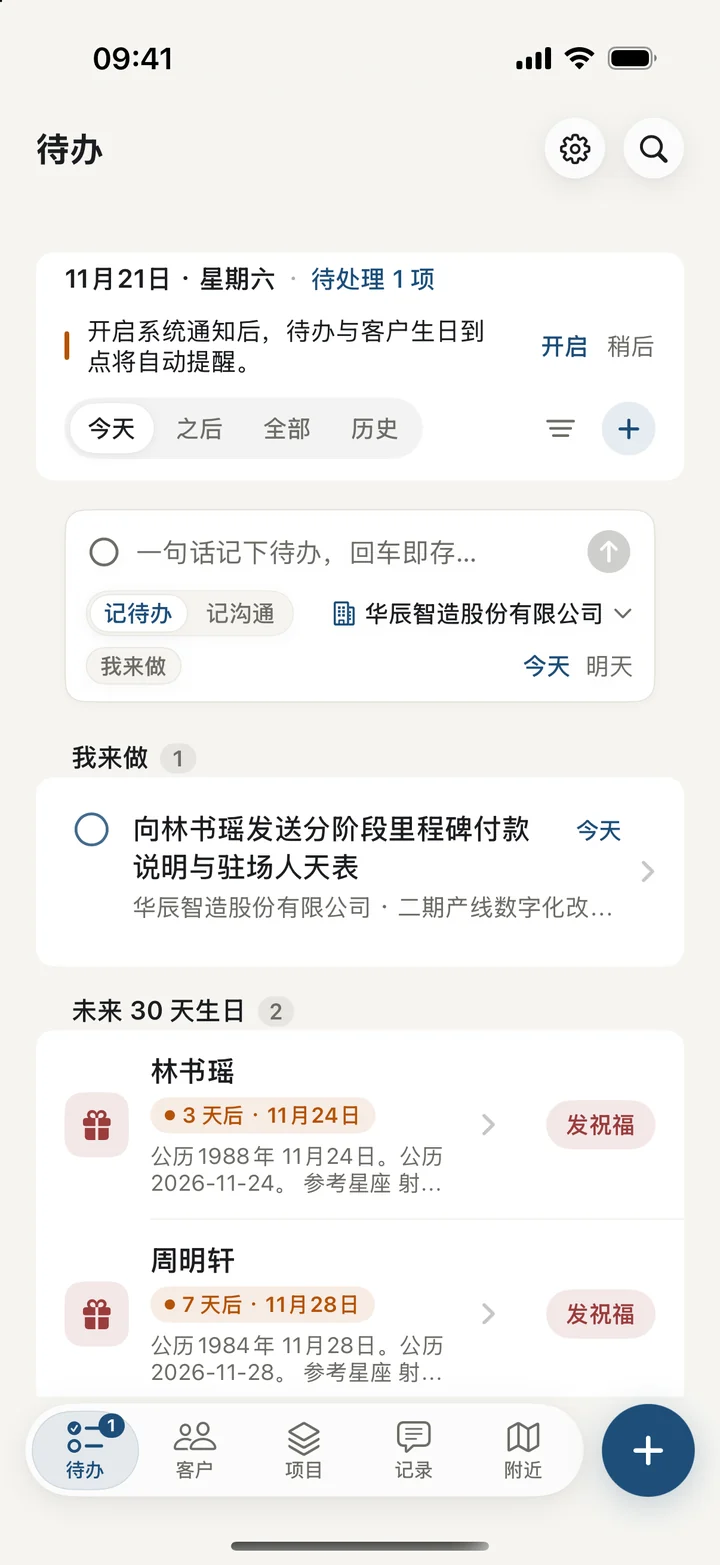
GoodCRM iPhone customer list and birthday reminder cardGoodCRM iPhone customer list and birthday reminder card
Relationship Continuity

Contacts switch companies. Your hard-won trust stays with you

In long B2B cycles, champions change roles and move between accounts. GoodCRM separates company entities from personal contact records, tracking career moves, communication preferences, dietary or gift notes, and solar or lunar birthdays.

  • Store multiple phones, emails, messaging handles, and aliases per company or contact
  • Keep primary contact roles, past affiliations, and personal preferences intact across moves
  • Import CSV spreadsheets with flexible column mapping and preview before committing
GoodCRM macOS contact profile with preferences and birthday details
Walk In Prepared

Thirty seconds before a meeting, every budget line and quote is right there

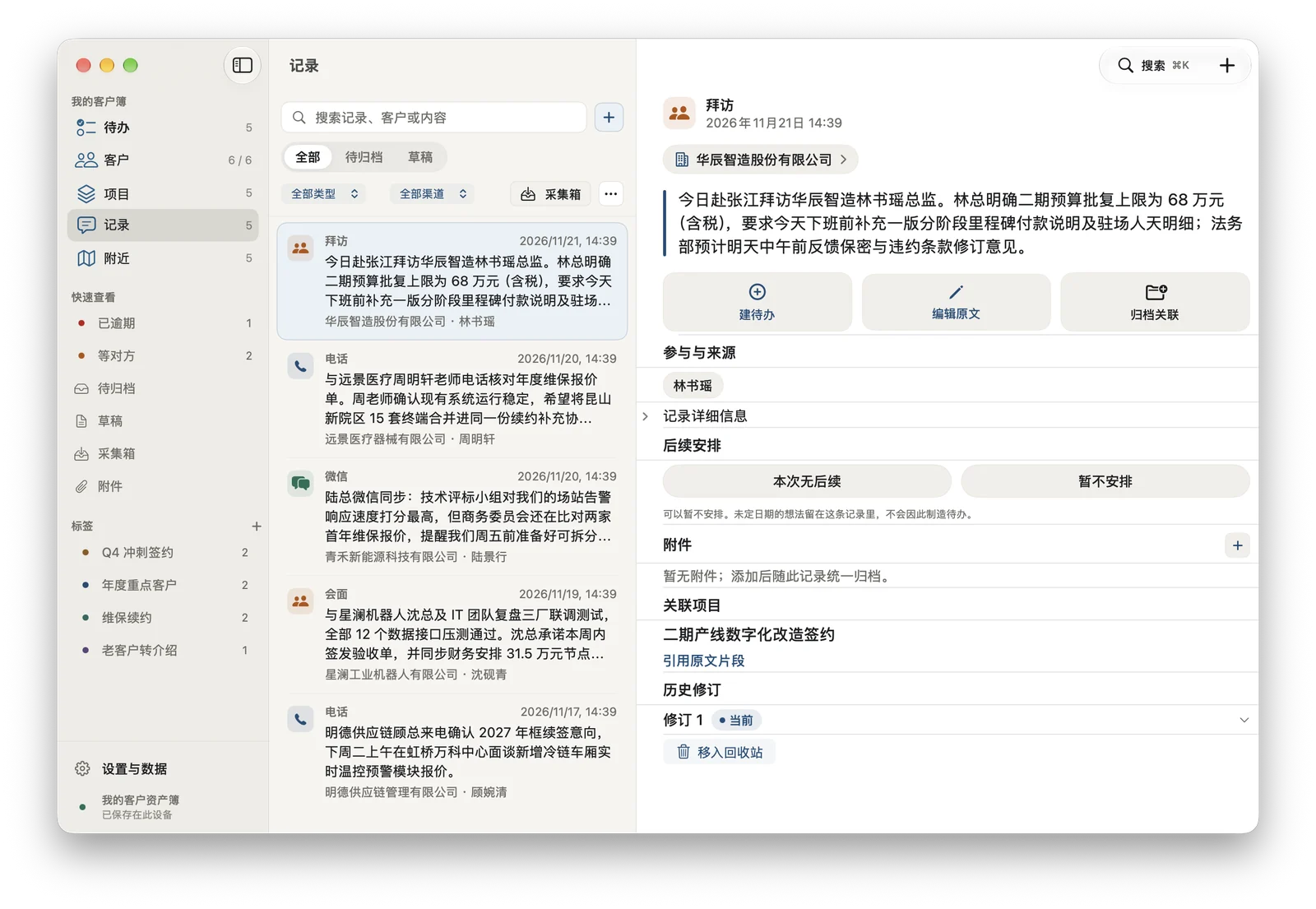
Stop scrolling through months of chat threads before stepping into a boardroom. Pre-meeting review pulls together verbatim notes, active matters, pinned attachments, and revision history so you never misquote a past commitment.

  • Log visits, calls, email, messaging, or internal work without inventing fake external threads
  • Use the system Share Extension to stage chat screenshots or PDFs into your local inbox
  • Search across aliases, full text, and attachments to jump back to the exact source line
GoodCRM macOS interaction record timeline and source viewer
Field Planning

Already in the neighborhood? Drop in on one more client

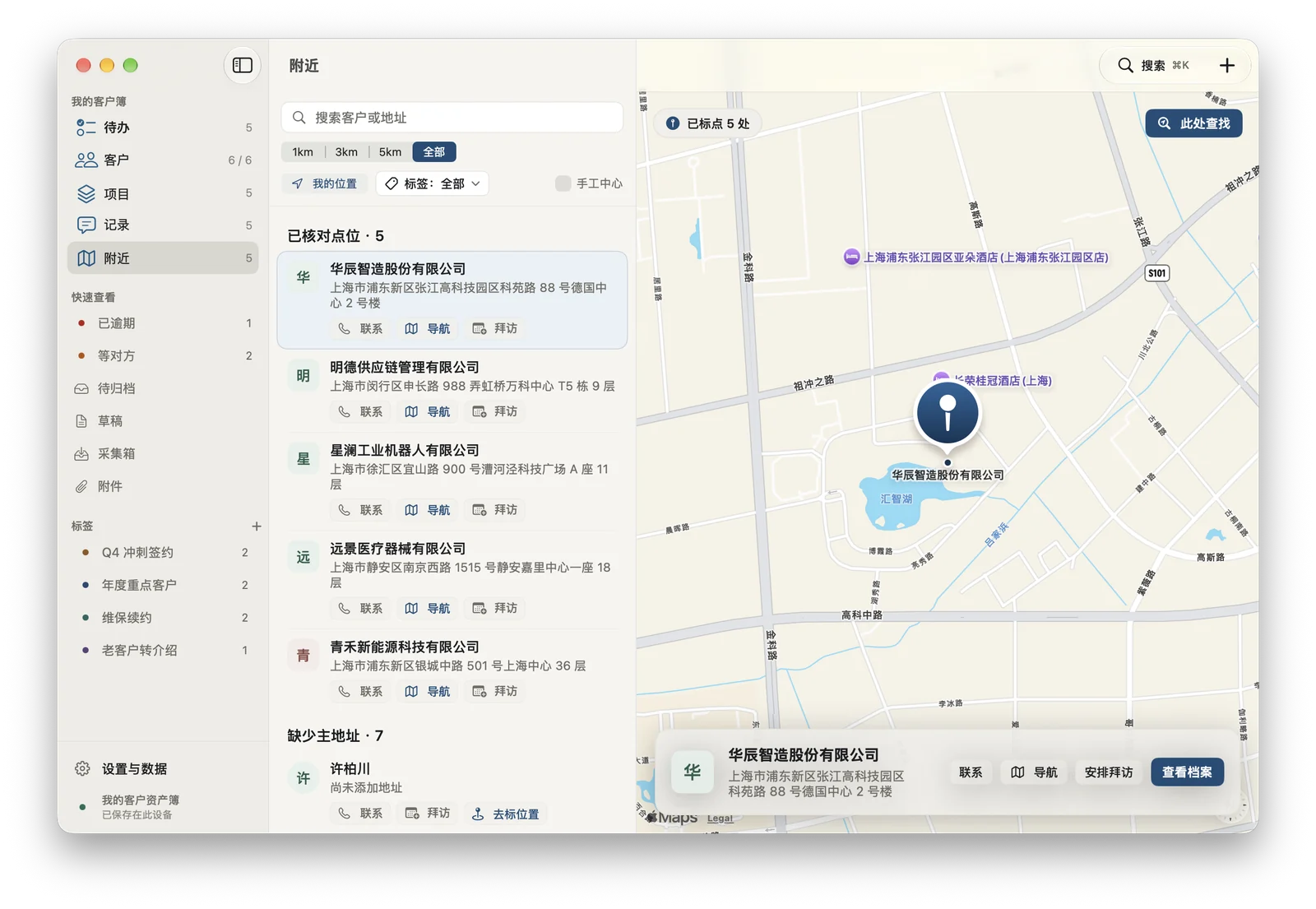
Between scheduled visits, filter verified client addresses within 1 km, 3 km, or 5 km by tag and open turn-by-turn directions in one tap. Location is read once on demand only when you ask—never in the background.

  • Keep text addresses distinct from verified map coordinates so nothing is silently overwritten
  • Native map handling tailored to Apple Maps on Apple devices and Petal/Harmony maps on HarmonyOS
  • Call, navigate, schedule a visit, or open the full dossier directly from the map pin
GoodCRM macOS nearby clients map and visit card

Built natively across five form factors—not a wrapped web view

Native Swift and SwiftUI across iPhone, iPad, and Mac; native ArkTS and ArkUI across HarmonyOS phones and tablets.

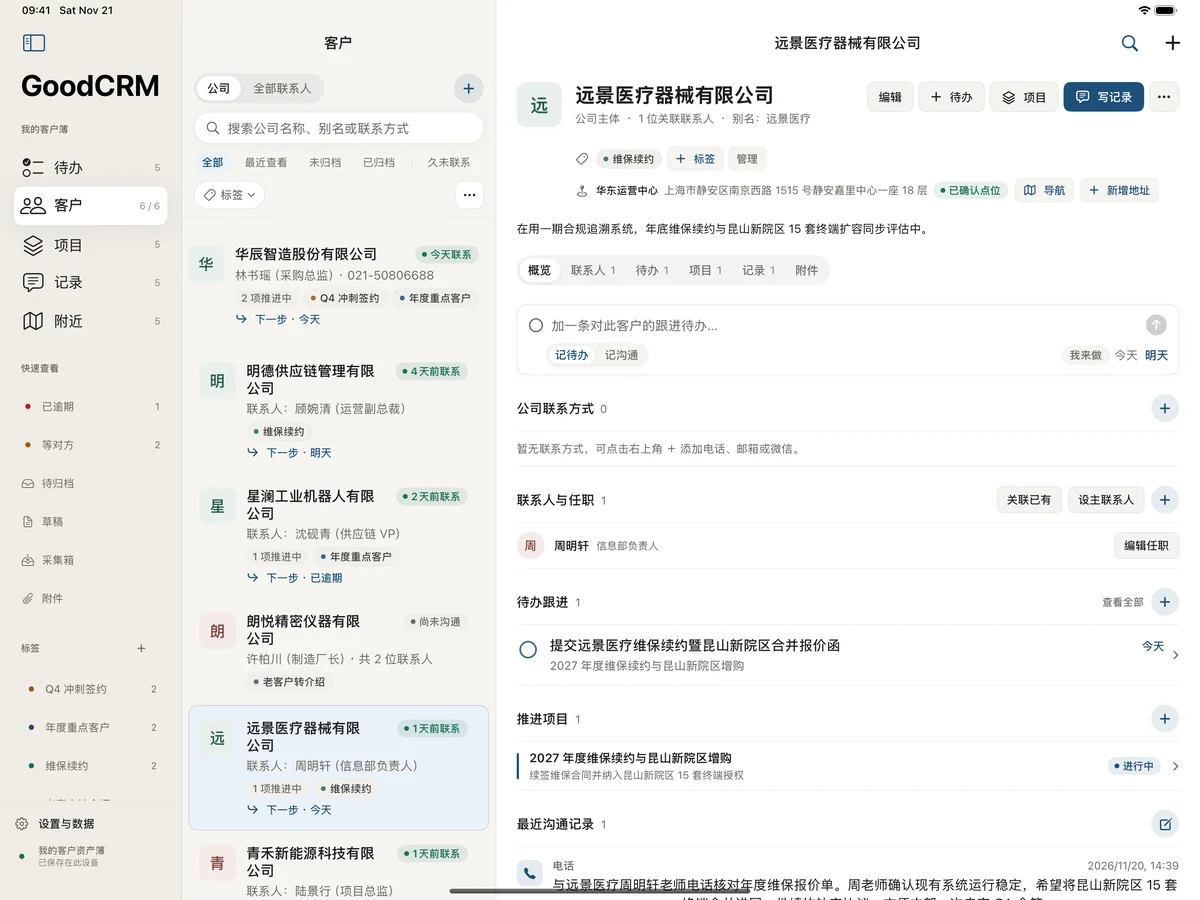
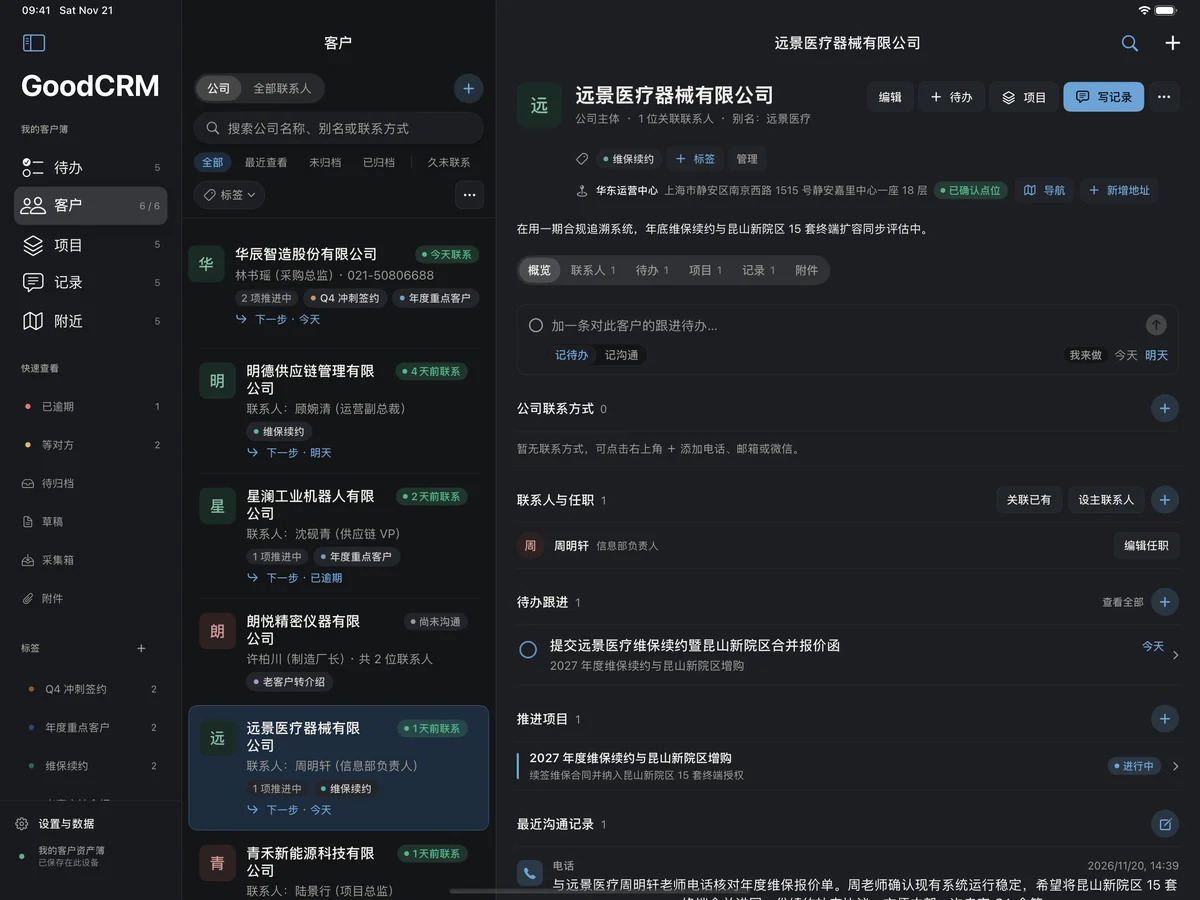
GoodCRM iPad split workspaceGoodCRM iPad split workspace
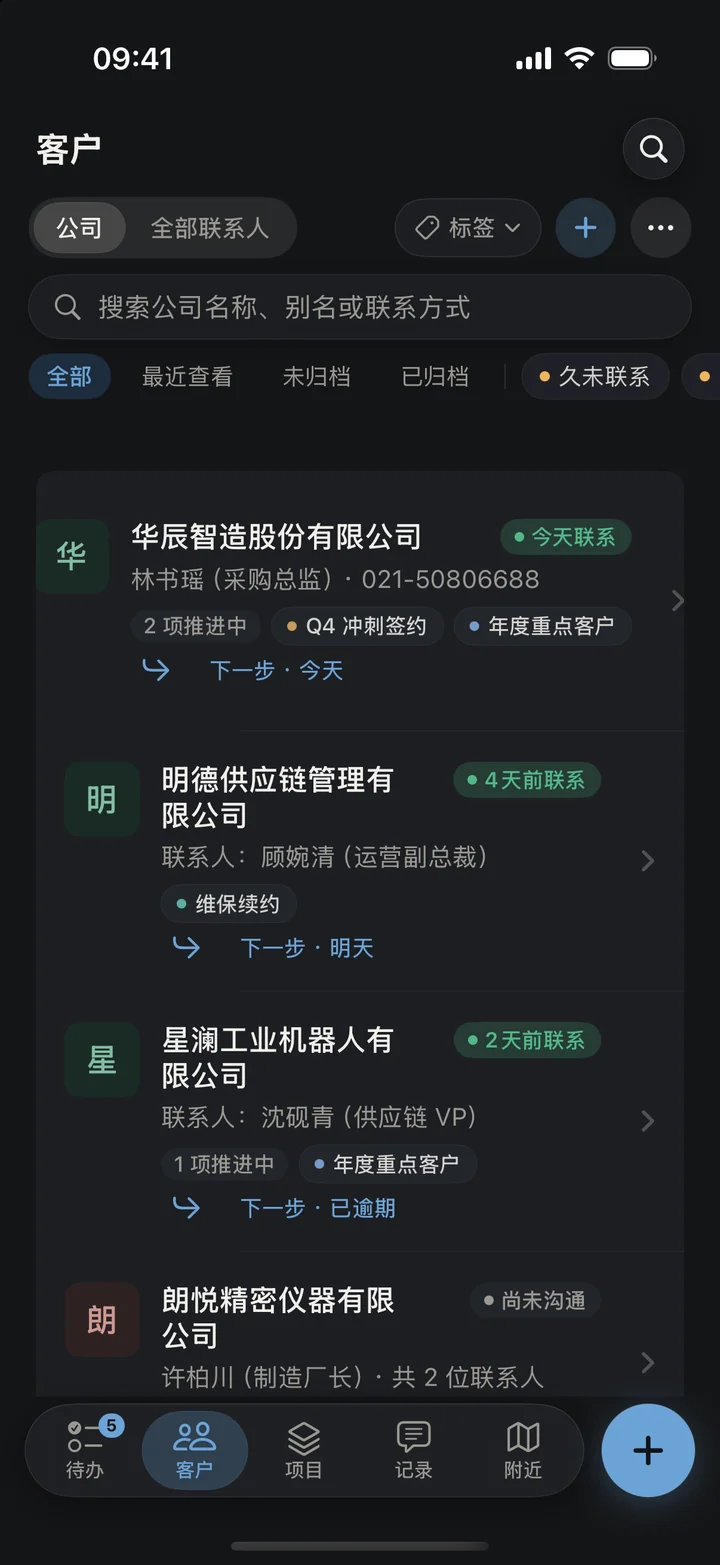
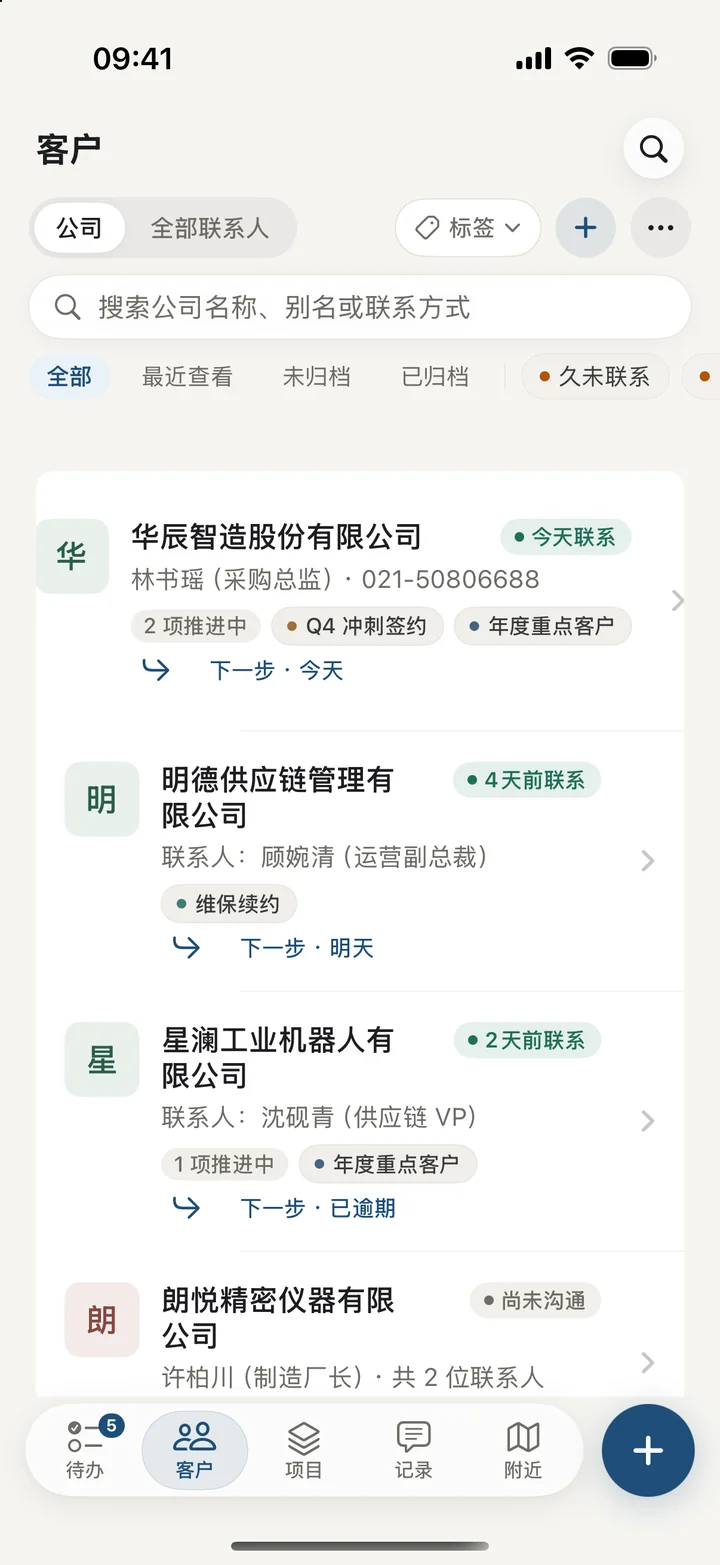
GoodCRM iPhone customers listGoodCRM iPhone customers list
iPhone (iOS 17+)
Thumb-friendly bottom tab bar, compact bottom sheets, Share Extension, and single-card contact picker.
iPad (iPadOS 17+)
Adaptive split-column workspace built for field reviews, split-screen proposals, and keyboard work.
Mac (macOS 14+)
Full three-pane desktop workbench with Command+K global search and direct file drag-and-drop.
HarmonyOS Phone
Native Stage architecture and ArkUI screens with system share intake and agent reminders.
HarmonyOS Tablet
Wide multi-column layout backed by local RelationalStore so every record works offline.

Your client book belongs to you at the storage layer

GoodCRM enforces data sovereignty in code and file formats rather than marketing fine print.

Zero-Account Local Store
SQLite / RelationalStore

Open the app and start working immediately. All organizations, contacts, matters, interactions, and attachments reside in your device's local database with no developer-operated CRM server.

Ecosystem-Isolated Cloud Sync
CloudKit / Huawei Cloud

When you explicitly opt in, Apple devices sync through your personal Apple CloudKit private database and HarmonyOS devices sync through your personal Huawei Cloud space. The two ecosystems never share or relay data through third-party servers.

Authenticated Encrypted Backup
AES-256-GCM + PBKDF2

Encrypted .gcrmbak archives derive keys with PBKDF2-HMAC-SHA256 (600,000 iterations) and seal chunks with AES-256-GCM plus canonical manifest hashes. Preview contents non-destructively before restoring. Your passphrase never leaves your device.

Portable Readable Export
ZIP / JSON / Markdown

Export a human-readable ZIP bundle of your clients, notes, and attachments at any time—stripped of platform credentials so your relationship history is never trapped in a proprietary format.

Try everything for 14 days, then pick how you want to own it

Reference pricing below reflects the China storefront (CNY); exact checkout prices are displayed in your local currency by the App Store or Huawei AppGallery. Apple and HarmonyOS entitlements are managed separately.

Lifetime Pro

One-Time

¥298 once

Non-consumable permanent license with no recurring fees—made for independent consultants and career account managers.

Monthly Pro

¥18 / month

Flexible month-to-month auto-renewing option when you want to evaluate GoodCRM alongside an active project cycle.

No-Lock-In Data Exit Guarantee

If your trial ends or you choose not to renew, your existing client book stays 100% yours. You can always read every record, run full-text search, export readable ZIP archives, create or restore .gcrmbak encrypted backups, manage trash, and complete or close existing actions and matters. Only creating new entries and bulk importing require an active Pro entitlement.

Frequently Asked Questions

Direct answers about sync architecture, permissions, billing, and data portability.

Does GoodCRM ever upload my client list to a developer server?

No. GoodCRM runs without any developer-hosted CRM database or user account system. All client records live locally on your device by default. If you turn on multi-device sync, encrypted sync payloads travel strictly through your own Apple CloudKit private database or Huawei Cloud space.

What happens to my data if my subscription expires?

Nothing is deleted or held hostage. When a trial or subscription expires, GoodCRM keeps full access to reading, searching, readable ZIP export, creating or restoring .gcrmbak encrypted backups, and completing or closing existing tasks and matters. Only creating new items or running bulk CSV imports requires renewing Pro.

How do I move data between an Apple device and a HarmonyOS device?

Apple sync (CloudKit) and HarmonyOS sync stay strictly within their respective native ecosystems. To transfer your client book between Apple and HarmonyOS, export an encrypted .gcrmbak backup file locally and restore it on the other device without sending anything through a third-party cloud.

Why does GoodCRM ask for Contacts or Location permissions?

Both are strictly optional and on-demand. Contacts access is used only when you tap to pick a single contact card into a draft—never to scan or upload your address book. Location access reads your coordinates once when you open Nearby or tap to fill your current position, with zero background tracking.

What happens if I forget my .gcrmbak backup passphrase?

Because .gcrmbak backups are sealed locally with PBKDF2-HMAC-SHA256 (600,000 iterations) and AES-256-GCM, there is no passphrase reset or developer backdoor. Store your passphrase in a trusted password manager; if lost, that specific archive cannot be decrypted, though you can export a fresh backup from any active device.

Can one purchase unlock both Apple and HarmonyOS versions?

No. Purchases on iPhone, iPad, and Mac are verified through Apple App Store (StoreKit 2), while HarmonyOS purchases are verified through Huawei AppGallery and Huawei IAP. Entitlements cannot be transferred across store ecosystems.

Keep the relationships you built over decades in a book you actually own

GoodCRM is finishing pre-release verification across Apple and HarmonyOS devices. Write to join early testing or receive launch announcements.